My role. I was the designer on this project. The PM defined which CEDP fields we had to capture; I decided where each field should live across the catalog and payment link surfaces, redesigned the catalog modal, and brought every touched screen in line with the design system.
Background
CEDP (Commercial Enhanced Data Program) is a VISA compliance requirement
that collects additional data on a transaction. When a transaction qualifies,
VISA provides improved interchange rates. This saves merchants and the company
money on every qualifying sale.
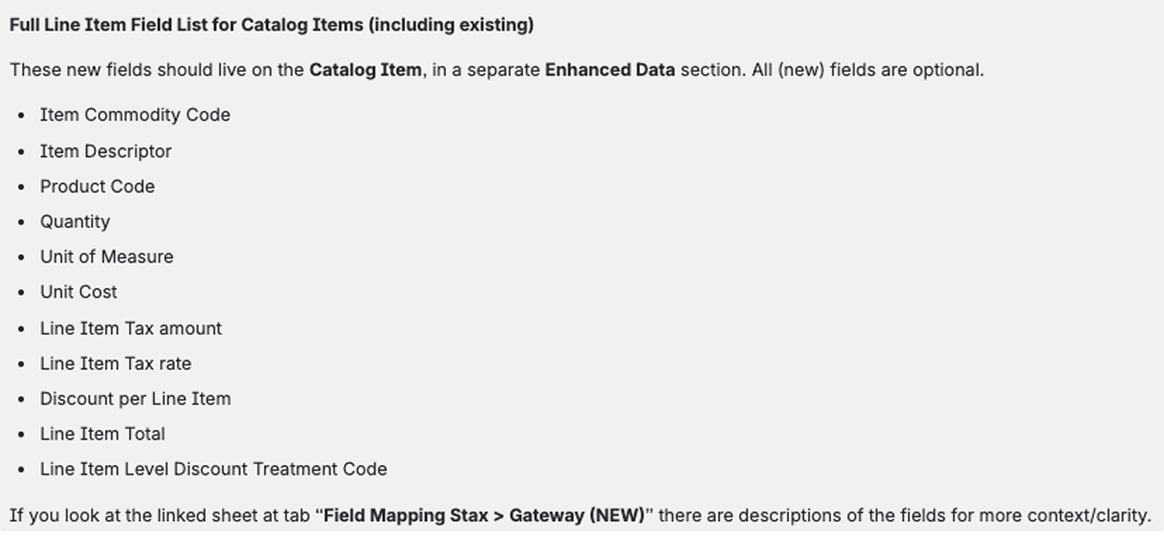
The PM identified the new fields we needed to capture, and they had to live
at two levels: the catalog (item) level and the payment link (transaction) level.
Challenge
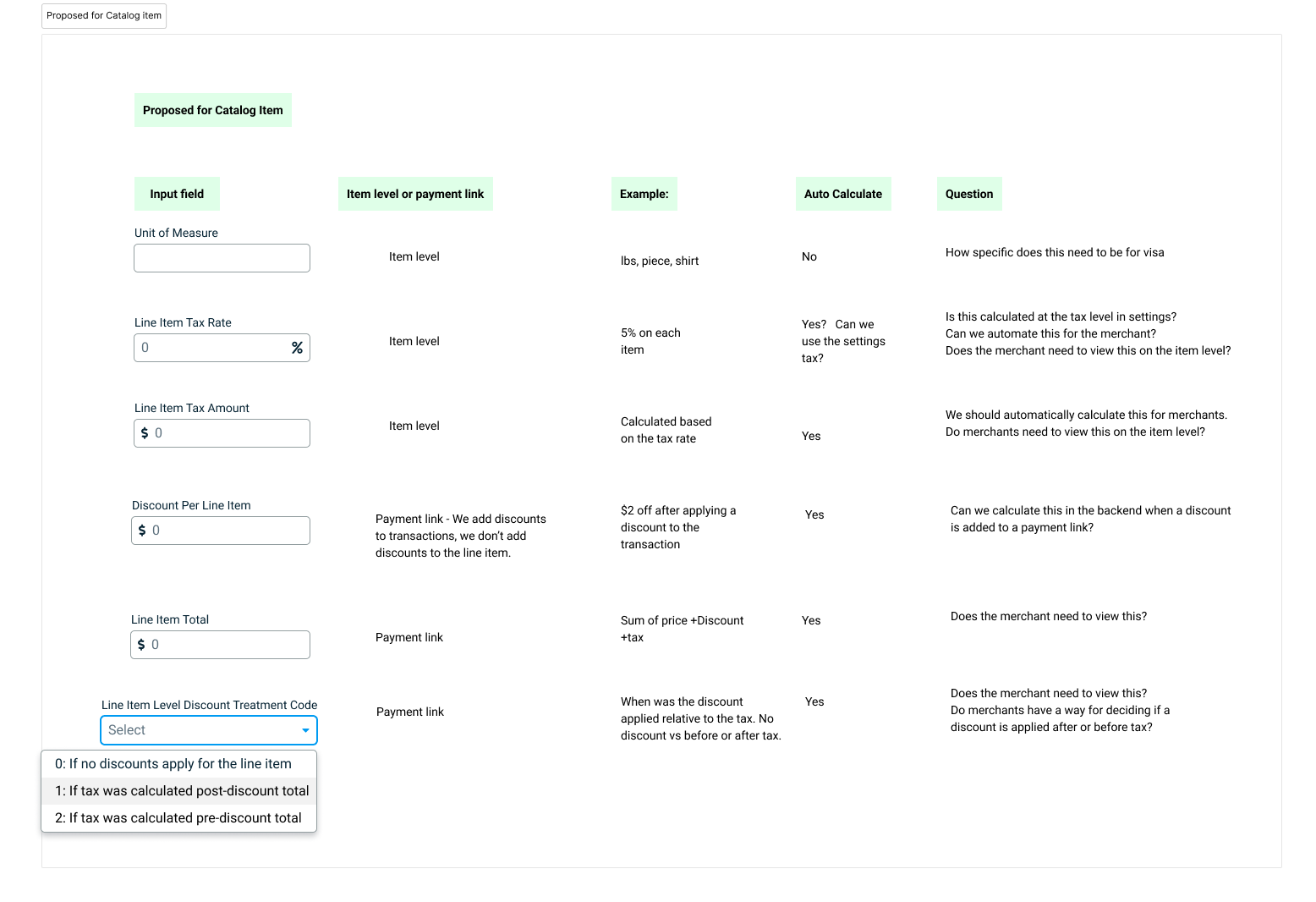
The initial instinct was to add the new input fields at the bottom of each page so merchants could see exactly which fields were required for CEDP. But after digging in, we realized most of those fields could be calculated automatically from data we already had, removing much of the burden from the merchant.
If even one field is missing, the transaction will not qualify for the lower interchange rate. Instead of relying on merchants to fill everything in correctly, we decided to handle as much as possible on the backend and only ask for what we truly couldn't calculate ourselves.
Process
Deciding Where Each Field Lives
We reviewed every CEDP requirement and sorted each field into one of three buckets: catalog level, payment link level, or automated on the backend. This mapping exercise determined the scope of UI changes needed on each surface.
Fixing the Catalog Flow
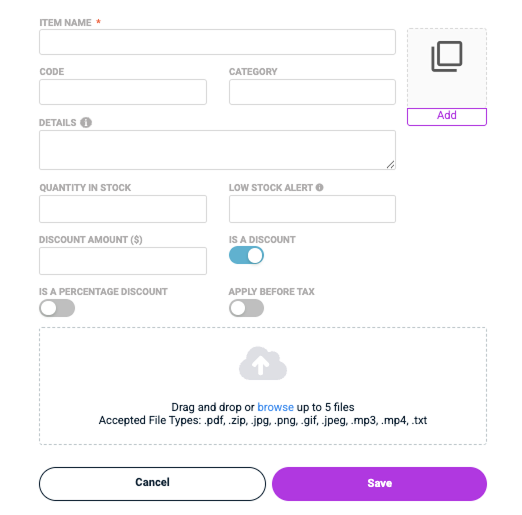
Once we knew what needed to change, we also saw an opportunity to address long-standing UX debt. The catalog modal was built over 10 years ago and had been patched rather than redesigned. The core problem: a series of toggles at the bottom of the modal determined whether an item was a product, service, or discount.
Turning a toggle on changed the form layout — hiding and revealing fields after merchants had already filled them out. Some toggles had labels like "allow discounts" or "is a percentage discount" with no explanation of what enabling them actually did. Adding a thumbnail image took extra clicks and used an outdated UI that didn't match our current design system.
Solution
Radio Buttons at the Top
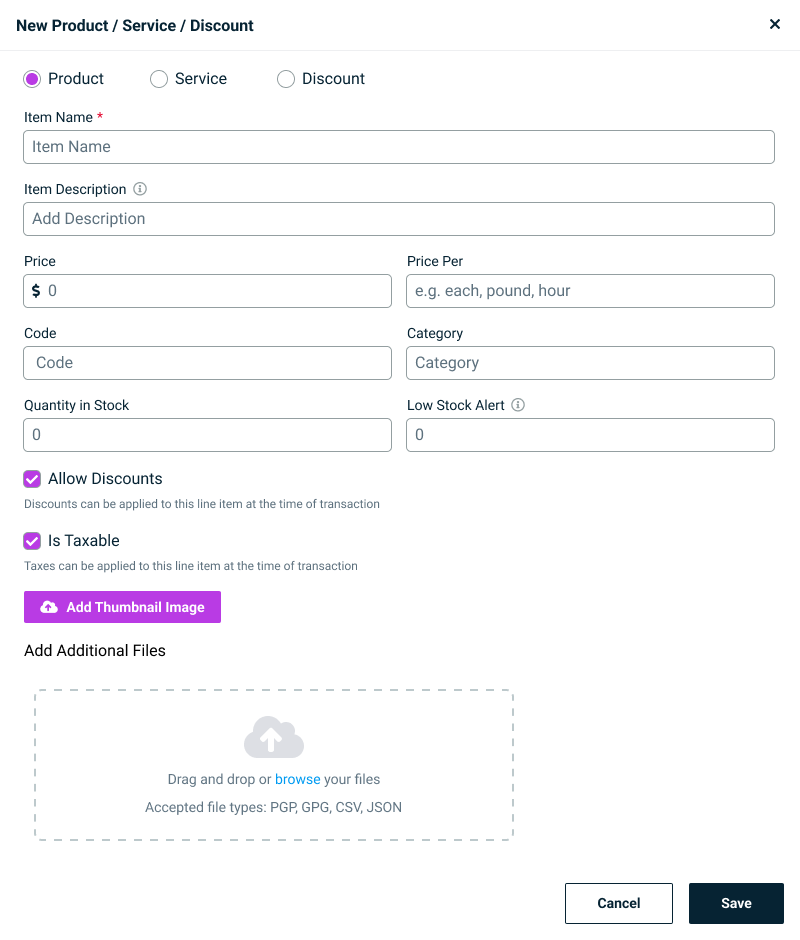
Since a catalog item can only ever be a product, service, or discount, we replaced the confusing toggle system with radio buttons at the very top of the modal. Merchants make the decision first, and the form adapts to show only the fields relevant to that type. No more hidden fields revealing themselves mid-flow.
Minimizing the CEDP Ask
After determining which CEDP fields could be automated, the only additional input we needed from merchants on the catalog page was a unit of measure. We renamed it to "Price Per" to make it immediately clear. How is this item measured and priced per unit? Placeholder text with examples was added to remove any guesswork.
Outcome
The catalog page is now easier to navigate and visualize. Merchants choose their item type upfront, see only the fields relevant to that type, and no longer lose entered data to fields that hide and reveal themselves mid-flow.
Because nearly every CEDP field is calculated automatically, merchants now qualify for improved VISA interchange rates with just one new input — better rates on every qualifying transaction without a longer flow. Every screen touched was brought in line with the latest design system, taking the payment link and catalog pages from legacy, patched UIs to clean, system-aligned experiences.